The results at a glance
On October 19, 2026 we gave six logo tools the same brief: a fictional coffee shop called Morrow, “a small specialty coffee shop that roasts its own beans”, with a navy and cream mark where the tool allowed a description. We used a desktop browser without signing in to any of the services. The table separates what we observed from what each provider says; a provider statement is not a file we inspected.
| Tool | Logo made without an account? | Download without an account? | What we saw about the file | What the provider says |
|---|---|---|---|---|
| Namecheap Logo Maker | Yes, results and an editor | No, “register or log in” at the download step | No file obtained; previews showed no watermark | Never adds watermarks; PNG and SVG with every download |
| Vistaprint AI Logomaker | Yes, 4 generations (more after creating an account) | No, the free-download button opened a sign-in page | No file obtained; previews showed no watermark | Free high-res SVG, PDF and PNG; color and transparent variations |
| VisualGPT AI Logo Generator | Yes | Partly: no sign-in prompt, but the button produced no file in our browser | The image shown to us was a 2048 × 2048 JPEG, no visible watermark, opaque white background | Free, no login, no watermark |
| Adobe Express | Not tested past step 1 | Not tested | Step 1 states that using the feature means agreeing to Adobe’s terms; we stopped there | Free download; the logo downloads as a 500 × 500 px square |
| Canva | Not tested hands-on | Not tested | Source-based only | Free users see a watermark on Pro content; transparent-background downloads need a paid plan |
| Ficonica (our product) | Yes, previews | No, downloads need a paid plan | Three open previews, further previews blurred and locked; no file without a plan | Paid plan includes PNG, SVG and PDF files and transparent-background versions |
Sources: Namecheap Logo Maker, Vistaprint AI Logomaker, VisualGPT AI Logo Generator, Adobe Express logo maker, Canva licensing explained, Canva transparent background help and Ficonica pricing, all checked on October 19, 2026. Offers change; check the page again before you design.
The pattern is the useful part. “Free” and “no watermark” usually describe the preview and the provider’s promise, while the account requirement appears at the download step. If you need a file today without creating an account, that requirement matters more than the preview.
What happened in each tool
Namecheap: free to design, account to download
We entered Morrow and chose Coffee Shop, answered the six font questions with the second option each time, picked the blue palette, left the slogan empty and searched for coffee icons and chose one. The service returned Morrow results without asking us to sign in.
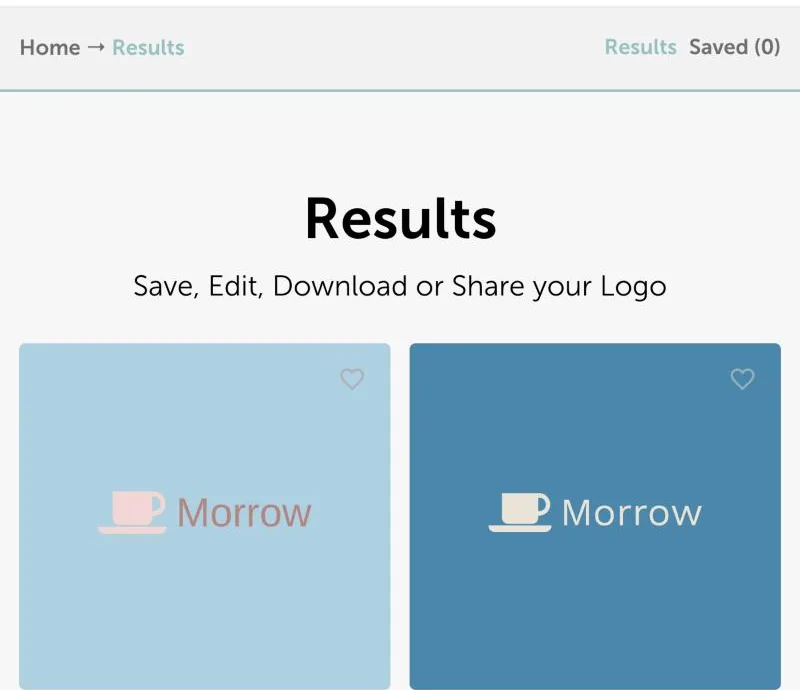
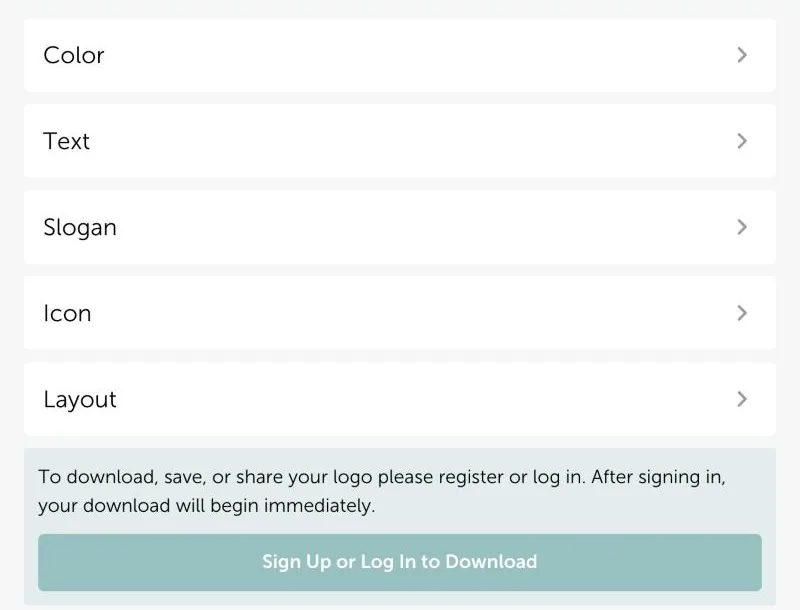
Opening a result showed Color, Text, Slogan, Icon and Layout controls and credited the font (Work Sans, Open Font License). Below them the page said that downloading, saving or sharing requires registering or logging in. We did not create an account, so we cannot report on the exported PNG or SVG.
Vistaprint: four generations, then a sign-in for the files
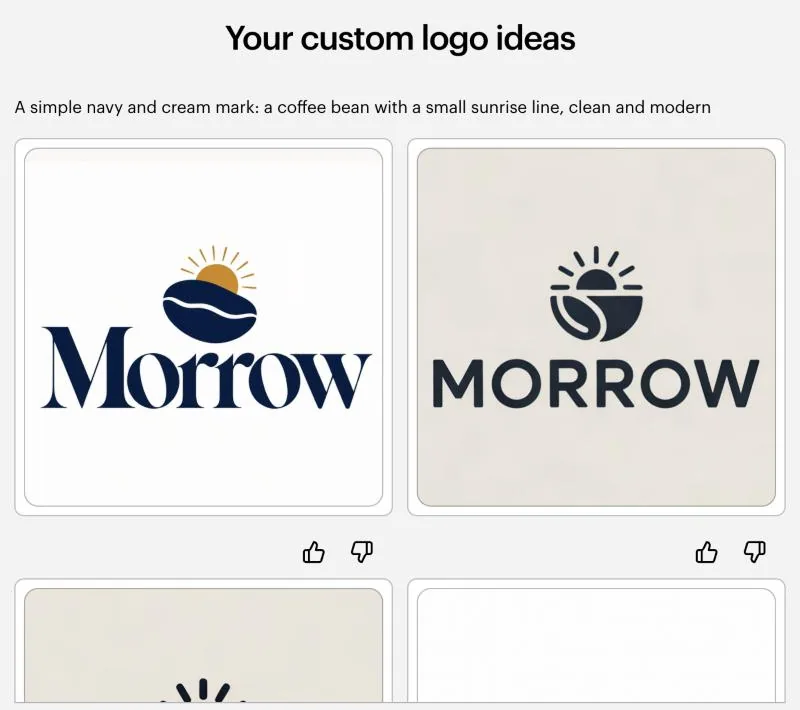
Vistaprint’s generator let us describe the business and the logo in our own words. Without an account it offered four generations; a notice said creating an account unlocks 60 more. For the description “a simple navy and cream mark: a coffee bean with a small sunrise line, clean and modern” it returned several Morrow concepts in navy and dark tones, in line with the request.
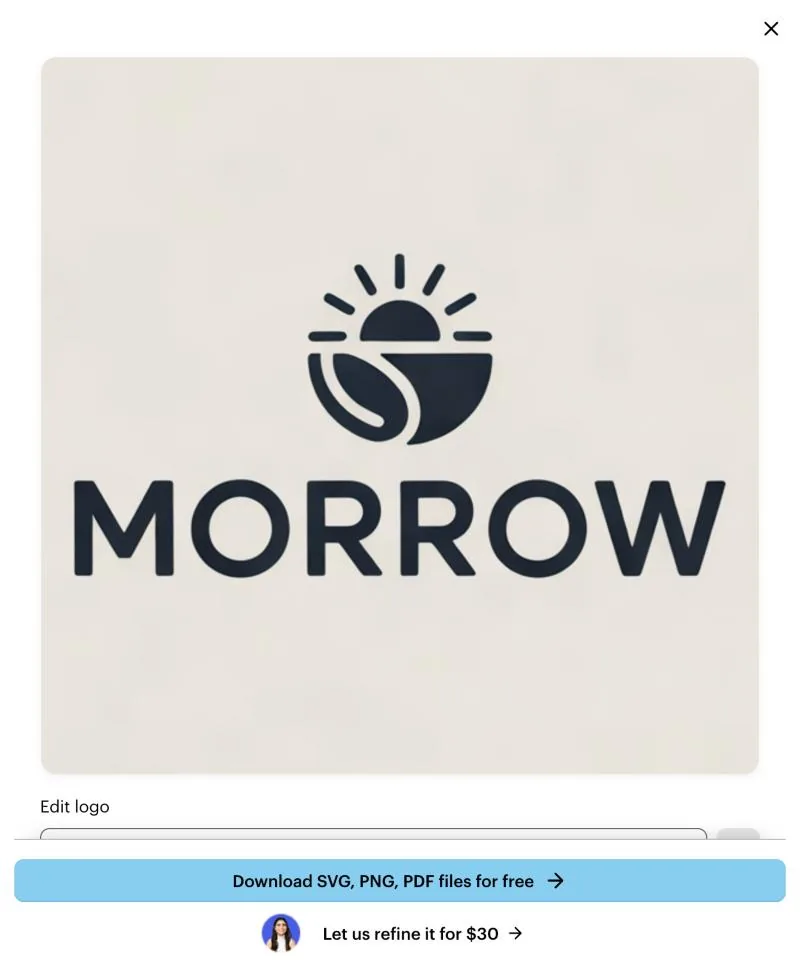
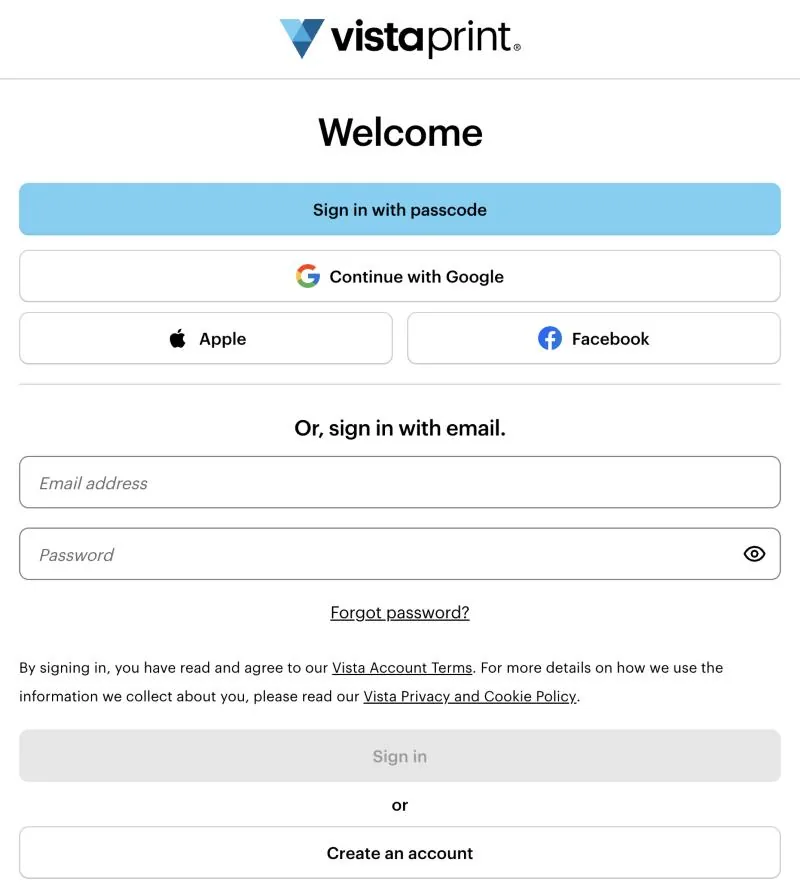
Opening a concept showed a “Download SVG, PNG, PDF files for free” button. Selecting it opened Vista’s sign-in page with options to sign in or create an account. We stopped there, so the free files themselves were not inspected.
VisualGPT: an image without sign-in, but not a logo file
VisualGPT accepted a prompt and produced a result in under a minute without signing in. Selecting its download button produced no file in our test browser and showed no sign-in prompt, so we inspected the image the page displayed to us. It was a 2048 × 2048 JPEG with no visible watermark. Because it is a JPEG, it has no transparent background: all four corners were pure white.
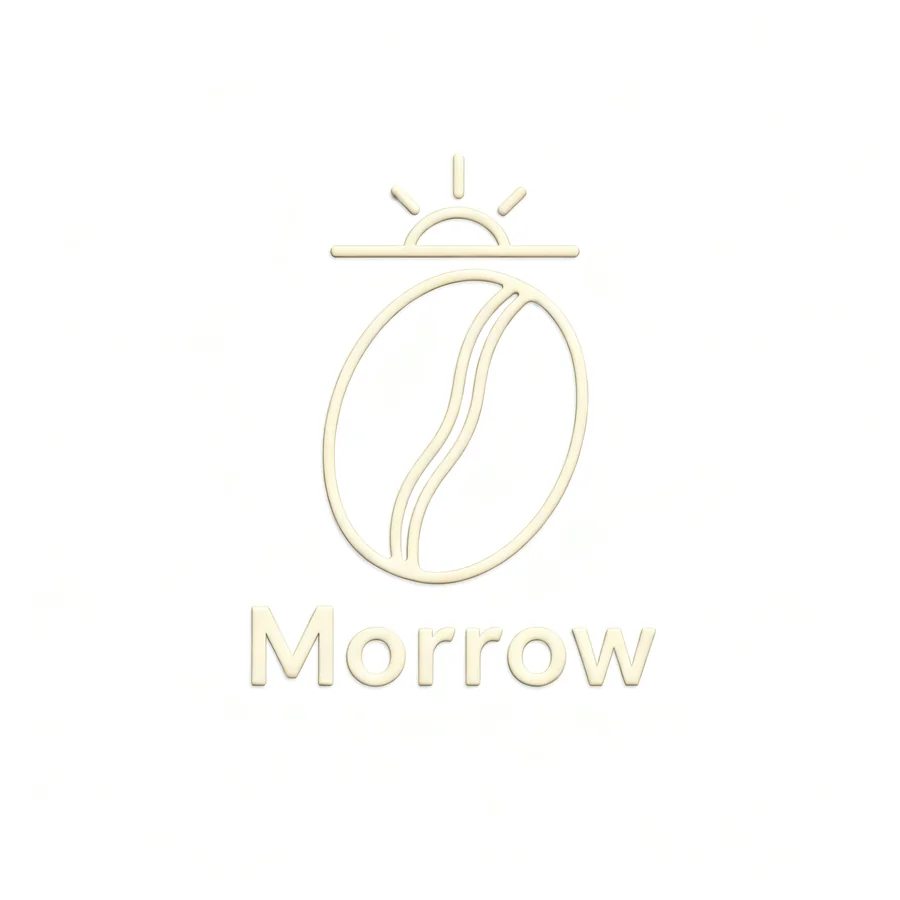
Two practical problems remain. The result ignored the navy part of the request and used cream on white, which has very little contrast. It also rendered the mark with an embossed, three-dimensional effect, so it behaves like a picture of a logo rather than a flat logo you can recolor or place on a dark background.
Adobe Express: we stopped at the terms
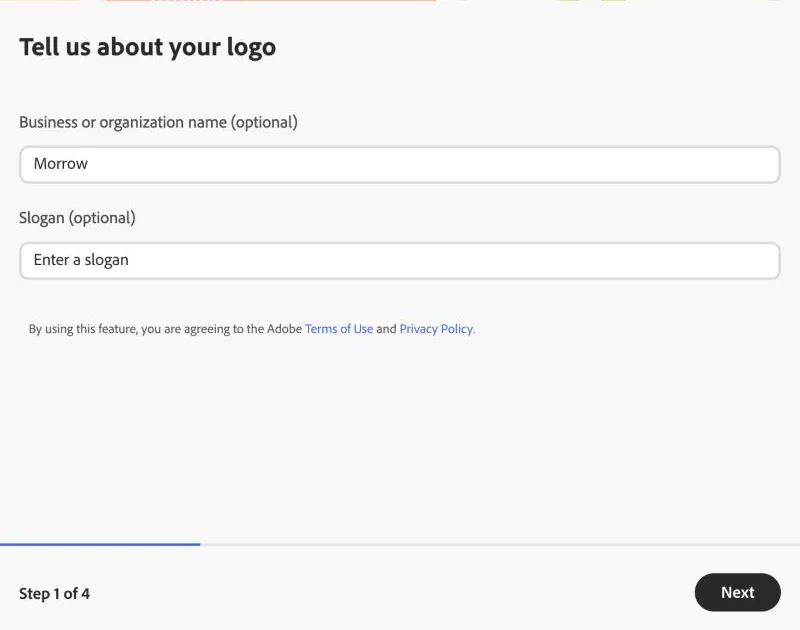
Adobe’s logo-maker page says you can download your logo for free and that it downloads as a 500 × 500 px square. Entering Morrow opened step 1 of 4, which states that using the feature means agreeing to Adobe’s Terms of Use and Privacy Policy. We did not continue past that step, so generation, editing and export were not tested.
Canva: check the content and the background setting
We did not run a hands-on Canva session for this update. Two official statements decide most “no watermark” questions there: free users see a watermark on Pro content unless they license it, and downloading with a transparent background is limited to paid plans. Canva also says its library content cannot be used in a trademark, except for fonts, simple shapes and lines. If you plan to register your logo, that rule matters more than the watermark.
Ficonica: free previews, paid files
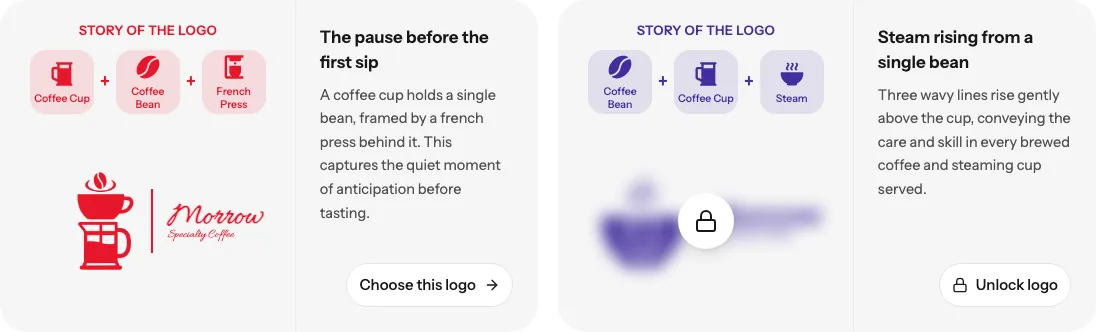
Ficonica is our product, so we describe it separately and do not count it as a free-download option. Entering the Morrow brief without signing in returned logo designs with matching colors and fonts. Three previews were open; further previews appeared blurred with an “Unlock logo” button. Downloading logo files requires a paid plan, which the pricing page lists with PNG, SVG and PDF files and transparent-background versions. If that matches what you need, you can preview business logo options in Ficonica before deciding.
We did not complete a fresh paid export of the Morrow files in this update, so this article makes no claim about those files beyond what the pricing page states.
How to choose a free option that actually delivers
Decide the deliverable first, then test the download before you invest time in the design:
- Know which file you need. A website header or social profile usually works with a PNG that has a transparent background. Print and signage usually need a vector file such as SVG or PDF. Our guide to raster versus vector graphics explains the difference.
- Run a throwaway design through the download step. In our test, both tools that promise free SVG files asked for an account exactly at that step. If creating an account is fine for you, that is not a problem; if it is not, you find out in a minute instead of after an hour of editing.
- Check the background, not only the watermark. Place the file on a dark background. A white rectangle is not a watermark, but it makes the logo unusable on dark headers. Our guide on which files need transparent backgrounds shows how to check a file.
- Read the content terms for your use. Free icons and templates can come with limits on trademarks or exclusivity, as Canva’s terms show.
If you specifically want to avoid creating an account, read our separate guide to free logo generators without sign-up.
Four checks that “no watermark” does not answer
1. Does the background work where you need it?
Transparency and watermark-free export are separate properties. A JPEG cannot store transparency at all, which is why the VisualGPT image above has a white square around the mark.
2. Is the file suitable for the intended size?
A PNG or JPEG is made of pixels, so check its dimensions against the largest place you will use it. An SVG can contain scalable vector artwork, but the extension alone is not proof: open the file and ask your printer what it requires.
3. Can you make the next edit?
Change the business name, one color and the layout before you settle on a tool, and save the editable project as well as the export. A clean download is less useful if a routine change means starting again.
4. What does the license allow?
Permission to use a design and exclusive ownership are different questions. Read the terms for the assets you actually chose, especially if you plan to register the logo as a trademark.
How we tested
All sessions ran on October 19, 2026 in a desktop browser with English interfaces, without signing in to any service, using the fictional Morrow brief above. We did not accept new terms of service on anyone’s behalf, create accounts or pay. Where a download required an account, we recorded that as the result rather than guessing what the file would contain. File details for VisualGPT come from the image the page displayed (2048 × 2048 JPEG, RGB, no alpha channel; SHA-256 recorded in our test record). An earlier partial check on September 20, 2026 reached the same account requirement at Namecheap.