AI Brand Guidelines Generator: From Your Logo to a Five-Page Guide
Short answer
Ficonica’s brand kit includes a five-page brand-guidelines layout: a cover, logo backgrounds, colors, typography and logo-usage examples. Choose your logo direction and review the resulting guide alongside your other assets. Download access depends on your brand’s access and current plan; a preview is not a free download.
Bring your logo, color palette, typography and usage examples together in a five-page visual guide.
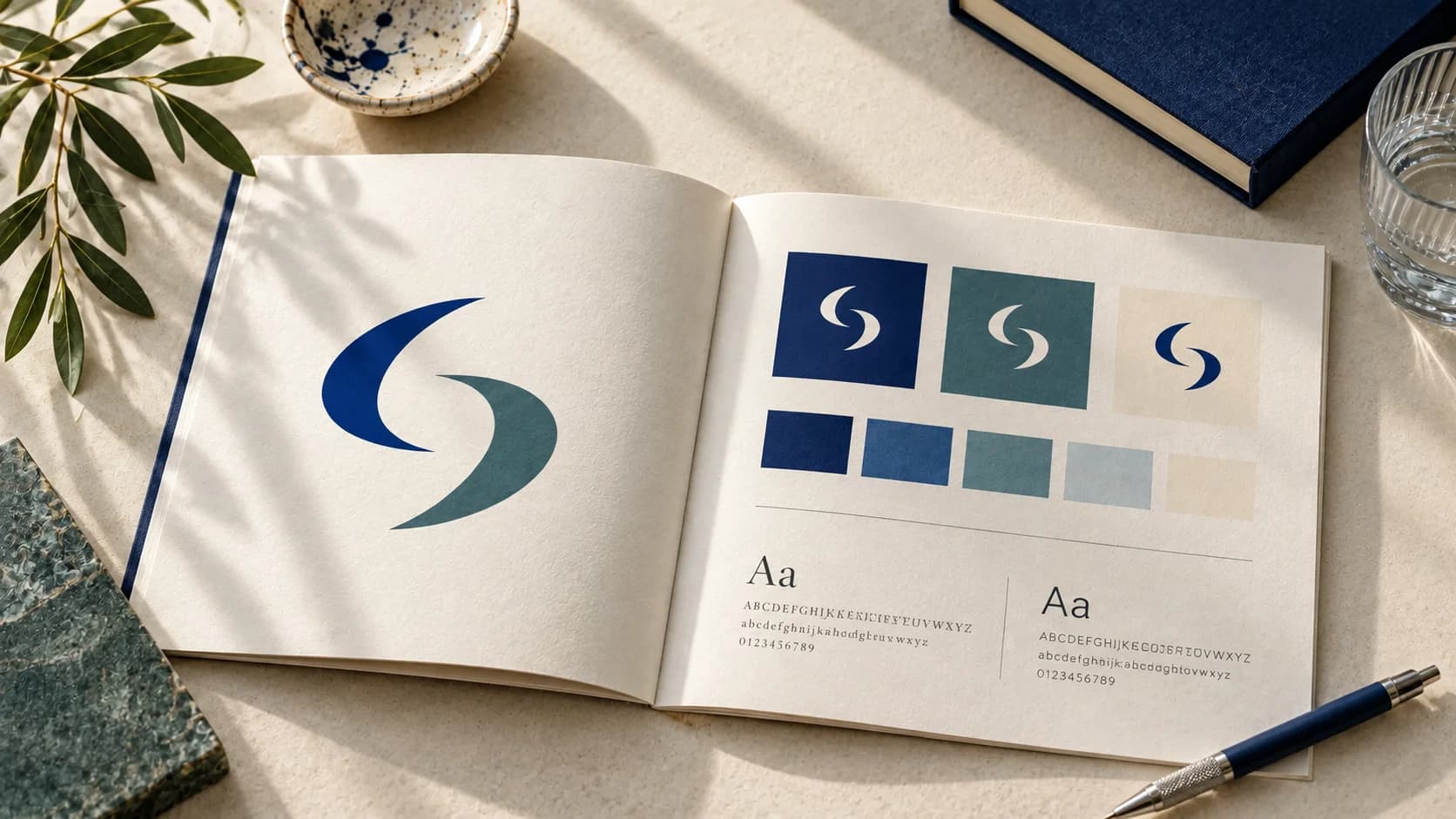
Cover: AI-generated editorial concept, not a real customer project or a document exported by Ficonica.
This is Ficonica’s own guide to planning a visual identity. The example below uses the fictional Morrow Studio, not a customer case. It combines a real preview capture with an editorial worksheet. The worksheet is provided with this article; it is not represented as a document exported by the product.
What should a brand guidelines generator help you decide?
A collection of attractive images is not yet a set of guidelines. A colleague should be able to answer practical questions without guessing: which logo belongs in a website header, which color is used for an accent, and what happens when a preferred font is unavailable?
Separate three things. A visual direction is a concept you are considering. A brand kit holds the assets you work with. Brand guidelines explain how to use those assets. The three can support each other, but having a preview does not prove that a complete kit or a written guide has been delivered.
| Decision | Record in the guide | Check before approval |
|---|---|---|
| Logo | Primary, compact and one-color versions | Actual placements and delivered files |
| Color | Values, roles and permitted backgrounds | Readability and the intended medium |
| Typography | Heading/body roles, weights and fallback | Availability and applicable license |
| Layout | Spacing, image treatment and examples | Can another person repeat the design? |
| Ownership | Approver, version date and master folder | Who can change the approved assets? |
A worked example: Morrow Studio
Imagine a small editorial design studio that wants to feel structured, thoughtful and creative. Its first materials are a proposal, a website and a social profile. This brief provides a reason to shortlist a column-and-pencil symbol: the column suggests structure and the pencil suggests creative work. That interpretation is an editorial judgment, not a measured audience response.
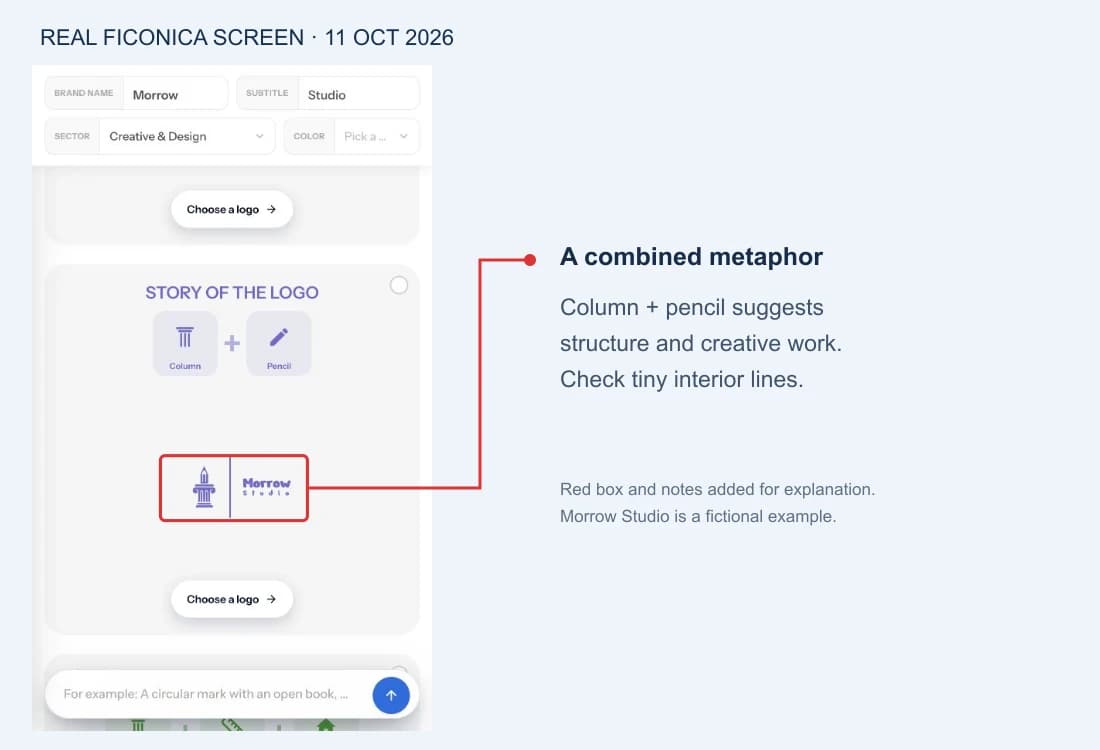
Actual preview captured October 11, 2026, reused here with explanatory annotations. Existing unlocked concept; no new generation, paid export or customer project is claimed.
Do not stop at the symbol’s story. The interior lines need checking at the intended display size, and the name typography needs a separate decision. The same symbol could be appropriate for one brief and inappropriate for another. Our logo examples walkthrough explains the shortlist decision.
Turn the example into rules, not promises
In this worksheet, the column-and-pencil direction is marked shortlisted, not approved. The proposed accent is teal, but the logo preview remains purple: they are separate pieces of evidence, not a completed recoloring demonstration. Fonts and minimum sizes stay blank until tested. An honest open decision is more useful than a precise-looking value no one has checked.
| Field | Example entry | Status |
|---|---|---|
| Personality | Structured, thoughtful, creative | Fictional brief |
| Logo direction | Column + pencil | Shortlisted |
| Accent | #126E67 for exploration | Proposed, not a contrast test |
| Typography | Heading/body roles to be selected | Open |
| Minimum sizes | Measure in actual placements | Open |
| Downloads | Inspect available files and terms | Not tested in this example |
Open the editable brand guide worksheet → Fill it locally and use your browser’s print function to save your own copy. Nothing entered in this worksheet is submitted to Ficonica; this standalone worksheet contains no network submission code.
What is in Ficonica’s five-page guide?
The brand-kit guideline book brings five views into one visual reference:
| Page | What it documents | What you still need to decide |
|---|---|---|
| Cover | The brand name and visual identity | Who approves this version |
| Logo | The mark on light, dark and accent backgrounds | Which placements need another variant |
| Colors | Palette roles and HEX values | Suitability for your real backgrounds and print process |
| Typography | The selected style’s heading and body font families | Availability, licensing and fallback choices |
| Logo usage | Correct treatment and examples of stretching, rotation and readability | Your own tested minimum sizes and spacing rules |
This is a visual brand guide, not a positioning strategy, a trademark clearance or a complete set of production specifications. The typography page describes the kit style’s fonts; do not assume it documents every font used inside your logo. Keep the Morrow worksheet as a place to record decisions that require your own review.
The guideline download is designed to include a PDF alongside individual page assets. Check current plans and download options and licensing terms before purchasing. This article does not claim an independently completed paid export test or guarantee a completion time.
How to start with Ficonica
- Enter a business name. The form on this page begins logo exploration. Use a brief that explains the actual business rather than relying on the name alone.
- Choose a direction. Compare the visible marks with your brief. Previously unlocked logos may appear separately from results for the current search.
- Review the guideline book. Open the brand-guidelines asset in your kit and check its logo backgrounds, palette, typography and usage examples. Record any additional decisions in the worksheet.
- Verify the handoff. Review the files and features available under the current plan. Test the actual materials before approving them for a website, a printer or another team member.
There is no fixed completion time established by this article. A simple first direction may take fewer decisions than a multi-product identity, but exploration, review and delivery are separate steps. See current plans for features, billing and download conditions and licensing terms for permitted use.
Check the guide in one real handoff
Give a colleague the guide and one small task, such as preparing a proposal cover. Ask them to identify the approved logo, select a background, apply the correct typography and locate the source files. Note every point where they need clarification. Those questions tell you what the guide still needs; they are more useful than adding pages of decorative mockups.
If you work alone, repeat a similar task in a second application. Check whether the font is available and whether the logo maintains its proportions. For print, request the supplier’s specifications before approving artwork. A screenshot, filename or file extension is not a production check.
When you need more than a generator
A generator can support visual exploration. It does not replace positioning research, a naming program, specialist illustration or legal clearance. A business with multiple product lines, regulated communications or complex packaging may need a designer or broader team to define the system and check the rollout. Choose the process that fits the work rather than the speed promised in a headline.
FAQ
Does entering a name instantly create a finished guide?
The entry form starts logo exploration. The kit includes a five-page guideline layout built around the selected identity. Review it before handoff; download access and completion time are separate from entering a name. Use the worksheet for decisions the visual guide does not settle.
Can I use an existing logo?
You can use the worksheet with an existing logo. This is not a claim that the entry form imports or transforms an existing identity.
Are downloads free?
Preview access and download access are different. Check current plan features and billing terms rather than assuming a preview includes downloadable files.
How long should a small-business guide be?
Long enough to make the recurring decisions clear. Start with the rules needed for the next real task and expand when a handoff reveals a gap.
Recommended Articles
Brand Guidelines Every Small Business Can Use
How to Build Brand Guidelines That Get Used
AI Logo Examples: What Makes a Concept Work?
Logo Customization for Beginners: Make One Edit at a Time
Brand Assets for a New Business: Build the Kit You Will Actually Use

Logo Usage Guidelines: What to Include and How to Keep Them Current
Join Our Newsletter
Join our creative community and stay ahead of the curve with fresh design perspectives.